15 smart-home questions that keep coming up
I've been looking through old comments on the blog and emails you've sent me over the years, and one thing is clear: when we get into smart homes, we all start by thinking our question is really unusual, really specific, something that “only happens to me”… and it isn't. We could group almost all of them.
You realise that what seems so strange to you is something half the internet is asking in different words: which Shelly should I buy, do I need a neutral wire, will Matter save my life, why does Apple Home say “No Response” just when I want to show off in front of someone… or when is it time to stop suffering and install Home Assistant?
So for this episode/article, I gathered real questions and picked 15. They're not all of them, obviously. If I include 30, this stops being a podcast and turns into a residents' association meeting. But these should give you an idea of the questions people ask most often, and maybe answer one you've been wondering about too.
1. If I'm starting from scratch, should I use HomeKit, any Matter device, or go straight to Home Assistant?
Short answer: start by looking at your actual needs and what you'll use every day. If your household uses iPhones, Apple's Home app is a great way in. It's simple, built in, and the family can understand it without watching a bunch of YouTube videos or asking ChatGPT.
Matter certainly helps you buy devices with a better chance of being useful in the future, but it doesn't automatically make your home smart. In any case, we should try to buy devices that support Matter in case we change platforms one day. And, well, to simplify things a bit and embrace the standard.
Home Assistant is brilliant when you need to bring the two worlds together, for example to build detailed, complex automations or stop depending on the cloud. But if all you want is to switch on four lights, open a blind and turn off a plug, you don't need to set up Home Assistant. That's using a sledgehammer to crack a nut. And don't think there are things you won't be able to do otherwise, eh? I have loads of conditional automations in HomeKit. Some are built in the Home app with Shortcuts, others with Controller for HomeKit. Obviously, I can't make an energy dashboard that tells me how much power the house is using right now and estimates the bill at the end of the month using my actual electricity tariff. So if you want that, then yes, install Home Assistant. Even so, I should tell you that I haven't looked at those power-use graphs for months, especially now that I managed to stop the circuit breaker tripping when I plug in too many things. I'll tell you about that another time.
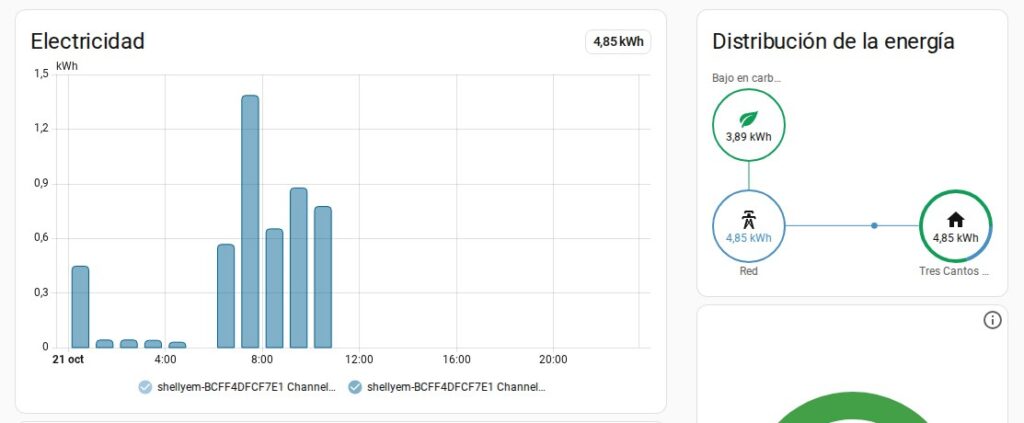
My Home Assistant energy dashboard: the Home app doesn't give you this.
2. If I stay with HomeKit, do I need an Apple TV or HomePod to control the house from outside?
If you stick with HomeKit, you need a home hub. It connects your accessories to the outside world when you're away. These days the usual options are a full-size HomePod, a first- or second-generation HomePod mini, or an Apple TV. Without one, your accessories and automations work at home on your Wi-Fi, but once you leave, they need that hub to act as a bridge. In the past, you could use an old iPad you had lying around—if anyone even has old iPads at home. I usually sell mine and buy the next one. In any case, that option no longer works because Apple doesn't support it.
This is one of the questions I hear most often, in all sorts of forms. Usually it's something like: “It works at home, but not on mobile data.” That's exactly why: you're missing the device that stays at home and keeps working while you're out.
3. There's no neutral wire at my switch. Can I still make it smart?
Yes, but not having a neutral wire in the switch box limits your options quite a bit. There are relays from Shelly, Aqara and Sonoff designed to work without one. Keep in mind, though, that there may be a neutral wire in the junction box. It's better to bring that neutral down to the switch or put the relay directly in the junction box. Then you won't have to pull the switch out if you want to replace it or something goes wrong. Even so, that neutral gives the Shelly some information and the devices don't all work the same way. I prefer installing it in the junction box.
But if you can't identify the live, neutral, switched live and traveller wires, don't worry. Nobody is born knowing this. Call an electrician and they'll install it in no time. That saves you from smelling burnt plastic or ending up with a black wall because you touched two wires you shouldn't have.
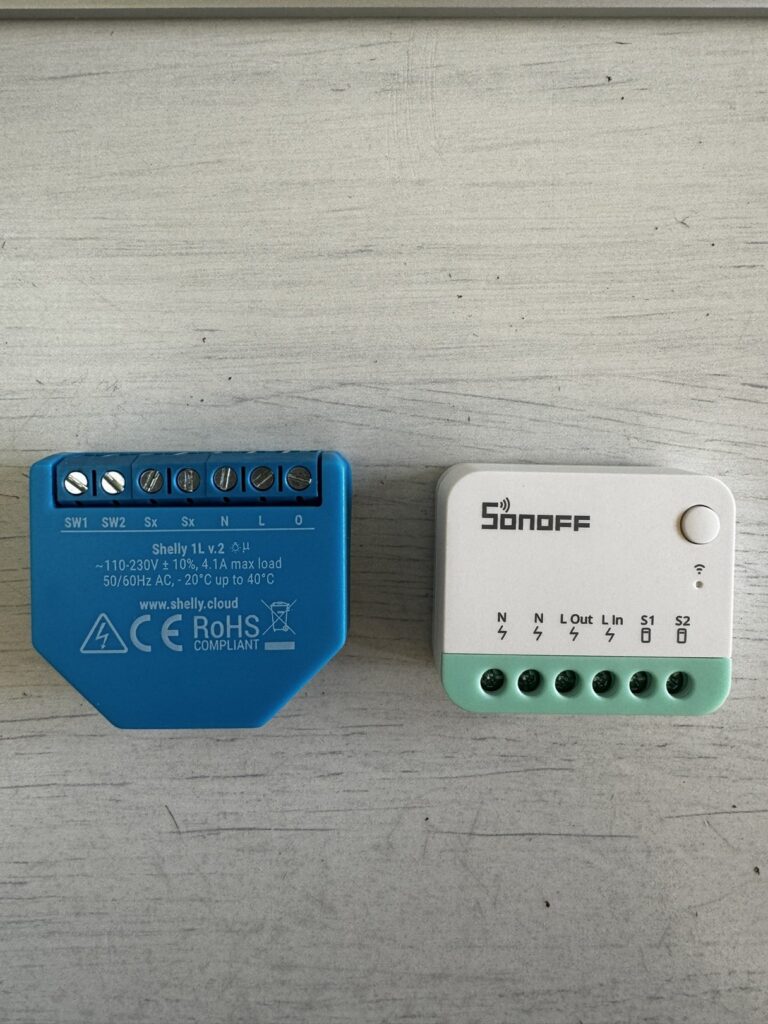
Shelly and Sonoff relays ready to go behind the switch—or, better, in the junction box.
4. Which Shelly should I get for a blind?
For blinds, you need a relay that can control both up and down and knows not to power both directions at the same time. The Shelly 2.5 was widely used for years; later came the Plus 2PM and newer models.
My current advice would be to buy something recent, supported, with power monitoring if you care about it, and compatible with the ecosystem you plan to use. Shelly works very well with Home Assistant. If you're going for Apple Home only, check carefully whether you need Matter or plan to integrate it some other way. Aqara and Sonoff also make relays just as good as Shelly's… although you know I'm a big Shelly fan, and you can get a discount at Shellyspain.com with the code SAHUQUILLO.
5. Does it still make sense to flash Shelly devices in 2026?
Less and less for the average user. In the past, flashing was essential if you wanted some devices to work locally with HomeKit. Now, between official integrations, Matter and Home Assistant, it often isn't worth the effort.
Does it ever make sense? Yes, for people who want to use every pin, control latency, create very specific behaviour or rescue older devices. But if all you want is to “turn on the light from my phone”, maybe you don't need to spend a Sunday afternoon flashing your devices, even if the process is getting easier.
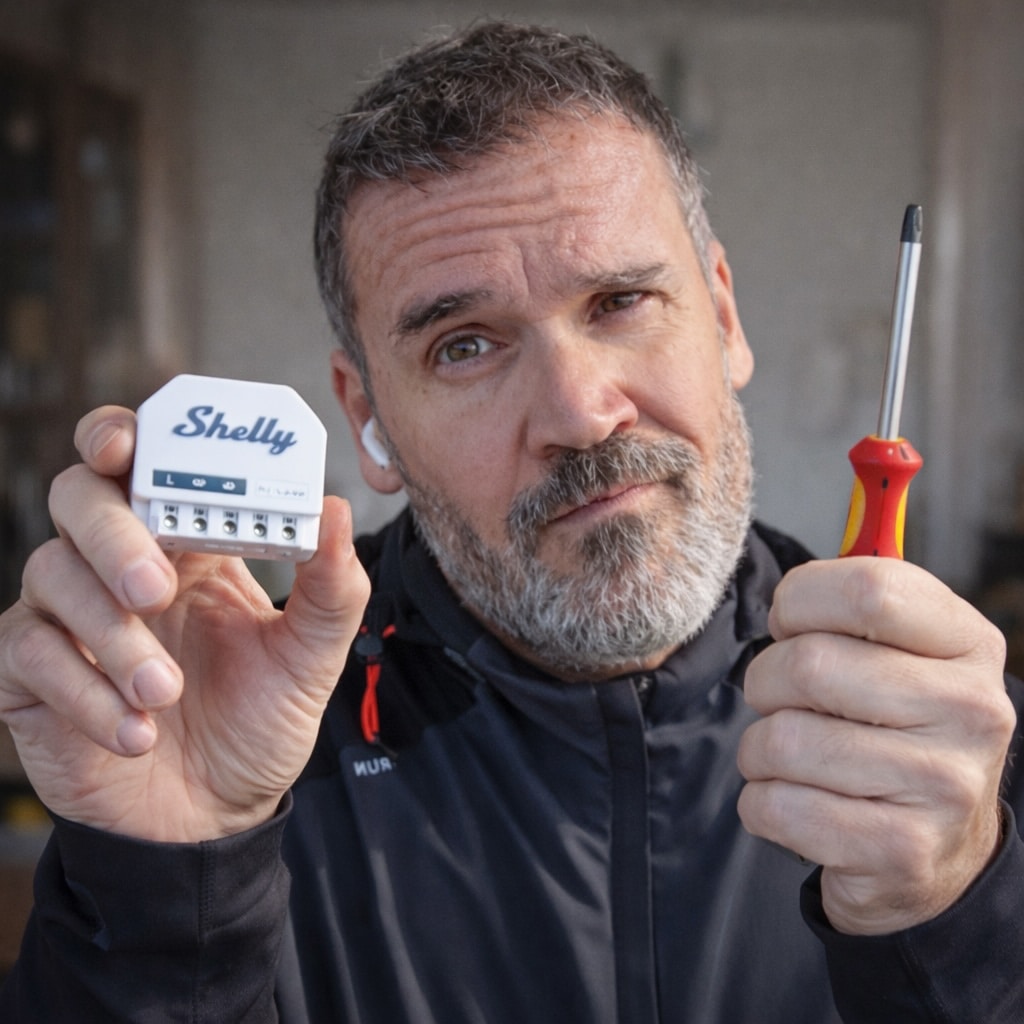
Flash Shelly devices in 2026? For most people, it's no longer worth it.
6. Why might an accessory show “No Response”?
It's usually a network problem. Maybe the Wi-Fi signal is a bit weak, the mesh router is misconfigured, the accessory itself has frozen, or the HomeKit hub is restarting after an update—especially if you only have one. In Home Assistant, it might be an integration that's gone to hell.
My troubleshooting order is usually: does the accessory respond in its own app? Is it on the same network? Does it have an IP address? Does it respond if you restart just the accessory? Does it respond if you restart the home hub? Only then would I start changing more serious things. Changing everything at once usually isn't a good idea because you won't know what fixed it.
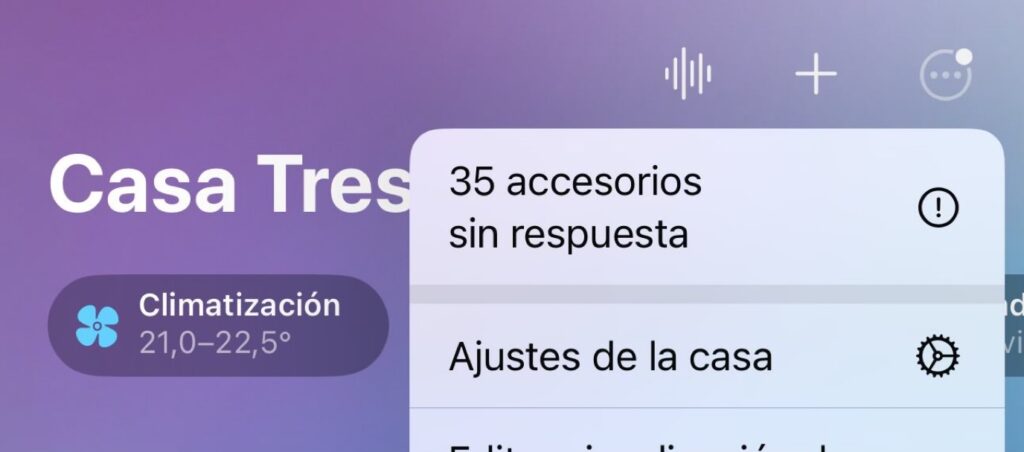
The dreaded “No Response”: 35 accessories went down at once in the Home app.
7. Does Matter fix compatibility problems?
Matter fixes some problems but adds a new layer of uncertainty. It's good that it exists, and today it's better to buy Matter devices than it was a few years ago, when you had to buy something for one specific ecosystem. We've all bought a smart bulb and only afterwards realised we'd picked the Alexa version instead of the Apple HomeKit one.
We've made progress there, but Matter doesn't guarantee that every feature on a device appears on every platform. As George Orwell put it in Animal Farm, “all animals are equal, but some animals are more equal than others.” Devices can be designed for one platform and not expose the same features or settings on another. Sometimes that's particularly interesting because you discover things. When I moved my door and window sensors from HomeKit to Home Assistant, for example, I discovered that they also had temperature sensors. HomeKit simply didn't expose that feature.
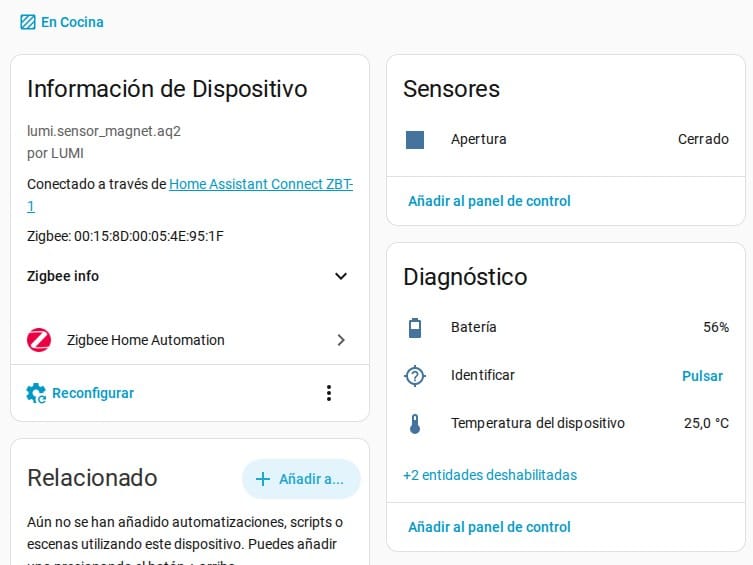
My Aqara door sensor in Home Assistant: it reports temperature as well as whether the door is open, which HomeKit didn't show.
Matter standardises a lot, then, but it doesn't turn all the ecosystems into clones. I wish it did. It would have saved me several podcast episodes.
8. Zigbee, Thread or Wi-Fi?
Watch out: a lot of this comes down to personal preference. Wi-Fi is convenient when you only have a few devices. I wouldn't fill a house with cheap Wi-Fi sensors, but cameras are usually Wi-Fi, for example. Zigbee is still a solid choice for sensors, buttons and low-power devices. Then there's Thread, the modern route for Matter, although it's still maturing. Along the way we've also seen things like Z-Wave and standards like MQTT, but they haven't been widely adopted. You can't walk into a MediaMarkt and ask for an MQTT-compatible sensor because, unless you find a real nerd, they won't have a clue what you're talking about.
My advice is not to buy based on acronyms. Think about your setup. If you already have Philips Hue bulbs, Aqara devices or Zigbee2MQTT running nicely in Home Assistant, there's no rush to switch to Thread. If you're starting from scratch and using Apple Home, Thread and Matter make sense.
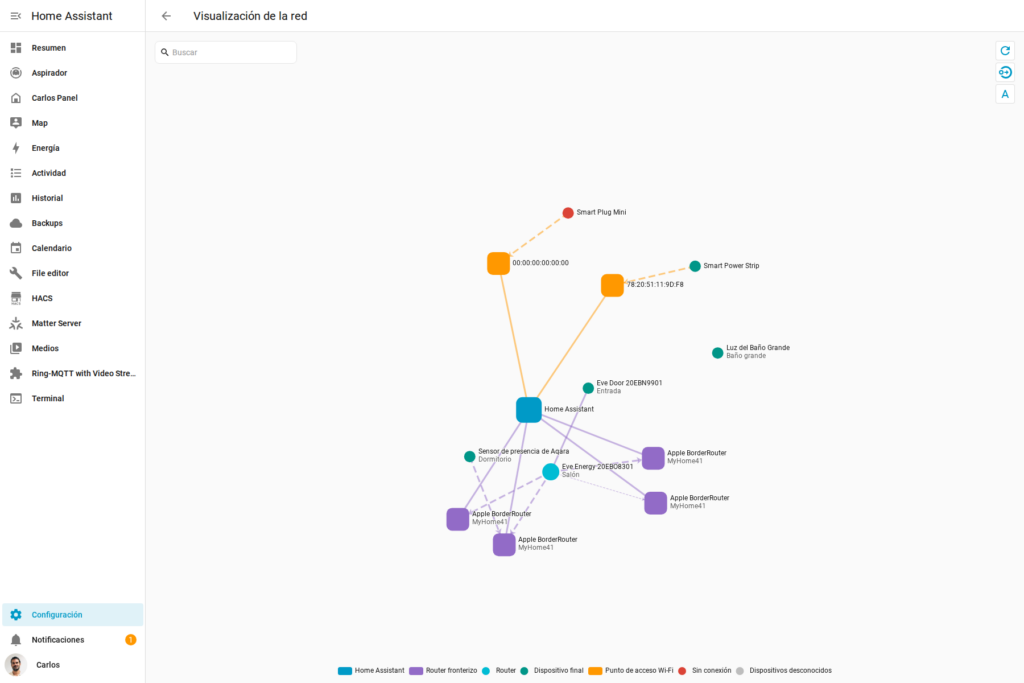
My Matter and Thread network as seen from Home Assistant.
9. Can I mix Aqara, Philips Hue, Shelly, Sonoff and other brands?
Yes. In fact, almost all of us end up mixing brands. The question isn't whether you can mix them, but where you'll manage everything. You can't have a different app for every manufacturer. You want a system such as Apple's HomeKit, Home Assistant, SmartThings or whatever you like, so you can create automations—for example, tell the Shelly to send a command to the Philips Hue bulb when the Aqara door sensor detects that the door has opened.
Of course we all have favourite brands. I really like Eve, for example, but it's not the cheapest. So I spend more or less depending on what device I'm looking for and how I'm going to use it.
10. When is Home Assistant worth setting up?
This is related to the previous question. Home Assistant starts to make sense when you think, “This should depend on two conditions,” or “I only want a notification if this has been happening for ten minutes,” or “I want to combine data from three systems,” or “I want this to keep working if the cloud goes down.” But remember my usual warning: you only have one Home Assistant. Even if you buy two, only one of them is managing the devices. If it breaks… you're fucked. That isn't a problem with Apple HomeKit because you can have as many home hubs as you like. I have five HomePods and one Apple TV, for example. If one is restarting or breaks or whatever, the rest keep working without any problem.
If your house already works and your family doesn't hate you, don't install Home Assistant just because the internet says you should. But if you run into a limitation in the Home app every week, you've probably already made up your mind and just need to admit it… haven't you, Martin?
11. What device should I buy first?
Easy: buy one that solves a real problem. Not “I want a futuristic home”, but “I want this light to turn itself on because I keep walking into that corner” or “I want to know if there's a water leak so what happened to me every other week doesn't happen again.”
If you don't have any real problems to solve, you could start with motion or presence sensors to turn on a light, door sensors to turn something on when you come home after dark, or plugs with power monitoring that switch off an appliance before it trips the breaker because it is drawing too much power. Things like that. I'd leave locks, blinds and electrical panels until you know how your system behaves. Smart locks are actually pretty amazing: for little money they make it easier to get in when your hands are full or let someone in when we've all gone out.
12. How do I stop the lights turning on by themselves after a power cut?
Ha, this has caused me so much grief. It depends on the bulb. Many let you choose what they do when the power comes back: turn on, stay off or restore the previous state. Philips Hue, for example, has settings for this. Home Assistant can also get more specific with automations and tell a device to turn off when power is restored, although ideally the device should handle this properly by itself.
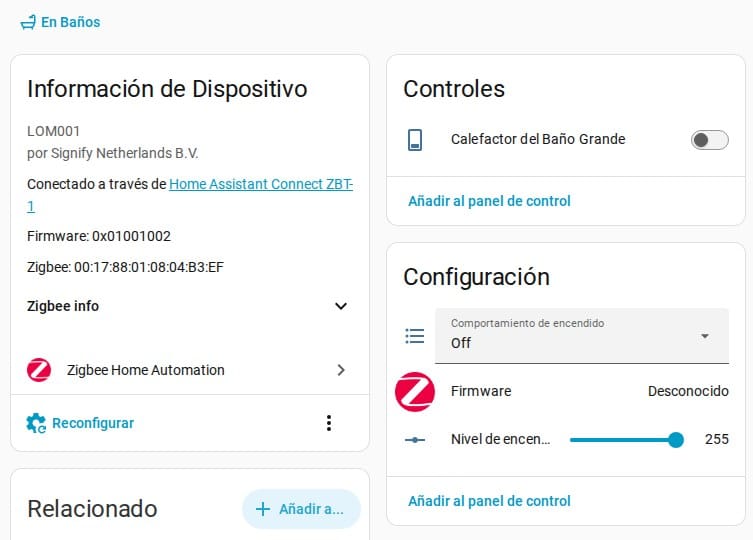
The bathroom heater: power-on behaviour set to “Off” so it doesn't start by itself when the power returns.
If you don't configure this, sooner or later you'll get the smart-home version of a horror movie: all the lights come on, or the blinds start going up and down. If the power goes out at 3 a.m. and then comes back on by itself, your home will look like a party and you'll get a massive fright. It's happened to me. Several times. For different reasons. My wife hasn't been happy about any of them.
13. Which automations are actually worth it?
The ones you stop noticing, mate. The best automations aren't the ones you show off at dinner. They're the ones nobody notices because the house simply becomes less annoying.
Well-tuned presence-based lighting, a warning when a window is open, blinds responding to sun or temperature—or closing when it's going to rain so the windows don't get dirty—water-leak alerts, switching everything off when everyone leaves home or moves a few hundred metres away, and maybe a night-time scene. Everything else can be great, but first make sure the basics are reliable. Don't try to go from zero to one hundred by saying “today I'm going to work on automations.” It doesn't work like that. I always recommend picking one sensor and getting it all sorted. Once that's done, move on to the next one. And first of all, write down what you actually need: the things you want to fix so life gets easier.
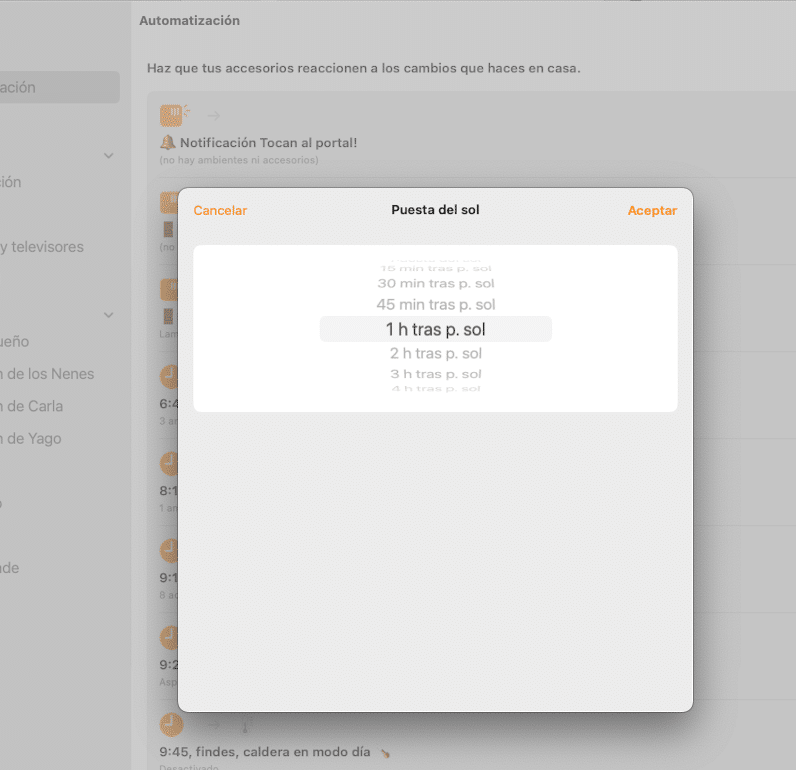
A simple automation in the Home app: nobody notices it, but they miss it when it stops working.
14. How do I automate things without my family kicking me out?
I'm not sure I'll answer this one very well, because my family has nearly kicked me out a few times. A few years ago, when my wife was furious, she pulled out all my sensors and devices and piled them up by the front door. Quite a few were already broken. You can read or listen to the post “Automations that nearly cost me my marriage”, which went viral a couple of years ago.
Back when my automations nearly cost me my marriage.
Anyway, what I've learned is that there always needs to be manual control. If someone presses a regular light switch, the house should turn the light on or off or do whatever it normally does, whether the home hub is down or the internet is out.
Another tip: automations shouldn't surprise people. If a light turns off while you're still in the room, that automation isn't smart; it's a pain in the arse and you're going to get told off.
Start in your own territory: your office, a study, one particular light, a water sensor. Once something has worked for weeks without anyone complaining, expand it. Little by little, by playing innocent, you know what I mean. At some point people get used to it, and if it breaks, they miss it. Don't get me wrong, my wife still comes in with her key. I don't care what lock we have or whether she could hold her phone near a certain spot to open it. No: she wants to use the key because she doesn't like smart locks. One day I'll bring her onto the podcast. You'll be amazed. I'll lose followers, but you'll see how much she disagrees with me about smart homes. I have to install things on the sly, mate.
15. Where can I ask questions? Telegram or email?
Blog comments have a huge advantage: the next person who arrives with the same question can find the answer. Email is good for specific, private or long questions. The Telegram community is great for quick questions and ideas, and someone other than me may get to the answer first. That's always appreciated. There are people in the group who really know their stuff, not to mention electricians, certified installers, locksmiths… it's a great community.
In fact, this episode comes directly from that: questions that have come up again and again over the years, as I said at the beginning. If you have a question, leave it in the right place. I might not only answer you; we may help another member with the same question too.
Anyway, if I had to sum it up in one idea, it would be: buy fewer devices and design things better. Smart homes aren't about buying cheap sensors on Black Friday and figuring out later what to do with them. Those sensors usually end up in a drawer. It's about solving real needs… and, above all, being more comfortable at home.
And if an automation doesn't improve life for the people you live with, it's not an automation. It's your hobby annoying everyone else. I also have another post with one of my wife's famous lines: “The house isn't a toy”. There you go.