HomeKit on iOS 13 (Updated 01/12/2020!)
A few days ago Apple released the new version of its operating system, iOS 13. In this new version there are some differences with the Home app and HomeKit, so given the success of my previous article where I told you about the automations I have at home and all the devices compatible with Apple HomeKit, I thought it would be a good idea to create a specific article for HomeKit on iOS 13.
Don’t worry! The automations and devices we already have running are going to keep working the same way, only the presentation in some apps and the way of creating automations changes a little bit… but the ones you already have will keep working as if nothing happened 🙂
The good news is that now we have a whole lot more possibilities for creating automations, and not all of them related to Home or HomeKit! I don’t know if this has ever happened to you: you get in the car, it connects via Bluetooth, and the first song in your Library starts playing. Always the same one. I hate it. It’s even made me delete the first song over and over again just so a different one would play! In the end you always have to pull out your phone from wherever you keep it and play in shuffle mode, or tell Siri, or whatever. Obviously this only affects those of us who don’t have Apple CarPlay in the car, if you have that, it’s much easier for you 😉
The thing is that now it’s possible to create an automation to tell your phone ‘Every time you connect to the Bluetooth device SEAT-3456, play this playlist on shuffle’. And the best part is that it’s really simple!. For example, whenever I walk to work or go out for a run, I put on my AirPods… and whenever I put on my AirPods I play the Podcasts list that automatically downloads to Apple Podcasts. When the Podcasts playlist ends I switch to music, but by default I always start with Podcasts, so I’ve created the following automation in Shortcuts:

Pretty cool, right? But let’s not get ahead of ourselves, since I’ve let my eagerness get the best of me and started building the house from the roof down.
What’s new in the Home app and HomeKit on iOS 13
Aesthetically there haven’t been many changes, when you open the app it looks very similar to how it was before, but now, for example, devices that had several functions have been grouped together. For example, the Aqara temperature sensor that has indicators for temperature and humidity. Before they were shown separately and you could choose which one you wanted displayed on the main page, so I would show the temperature and hide the humidity… now this isn’t possible and they’re shown together:

If you click on the device you can still see the data separately, but at a glance you can no longer see it the way you used to before. I don’t like it, but it seems it will be fixed in upcoming versions of the operating system.
UPDATE:: It’s fixed now!! With the update to iOS 13.3 it’s now possible to separate elements that were shown together! You just need to go into the Settings for the element and select the option to display them separately:


What I do like is that the bridges we have (in my case the Aqara one and the Hue one) no longer show up in the app, although they can still be checked through the settings.
The automations within the app are very similar to what we had before, but as you’ll see there are some that stay ‘in the background‘ and don’t show up as such. I’m doing a bit of cleanup right now, and now you’ll understand why—that’s why even fewer of them show up:

The behavior of the light bulbs has also changed a bit and now it’s possible to add ‘favorite’ colors. Oh, and if you have a HomePod you can also create a Scene so that, for example, it plays ‘You Can Leave Your Hat On’ and turns the lights red when you get home at night in the mood for some fun and your wife or husband is there. A great feature, right? Just be careful about what time you get home and limit this in the automation so it doesn’t trigger if it’s past 4 in the morning, otherwise Joe Cocker might start blasting and wake up half the neighborhood.
What’s new in Home+ 3?
If you remember the first post where we talked about automations, I use an app called Home+3 to handle some complicated conditions within automations. For example, you can have the boiler turn on if I’m home, it’s 6 in the morning, and the living room thermometer reads below X degrees. This type of condition can’t be done with Home, so Home+ was necessary but really ugly… Now they’ve updated it to version 4 and it’s much nicer than before, it’s adapted to iOS 13’s Dark Mode and has revamped icons, so it looks a bit less ugly… but we’ll see if it’s still necessary, for now I’m trying to migrate all my automations to Shortcuts:


Shortcuts in iOS 13
And finally we get to what seems to be the crown jewel when it comes to automations, I get the feeling we’re going to have to study up… or at least I’m going to have to study up, and then I’ll explain it to you in an easy way xD
Now Shortcuts brings together not just the automations that could be created since the previous version of iOS and before that with the Workflow app, but includes all automations in general. This way we’ll find both device-level automations and Home automations:

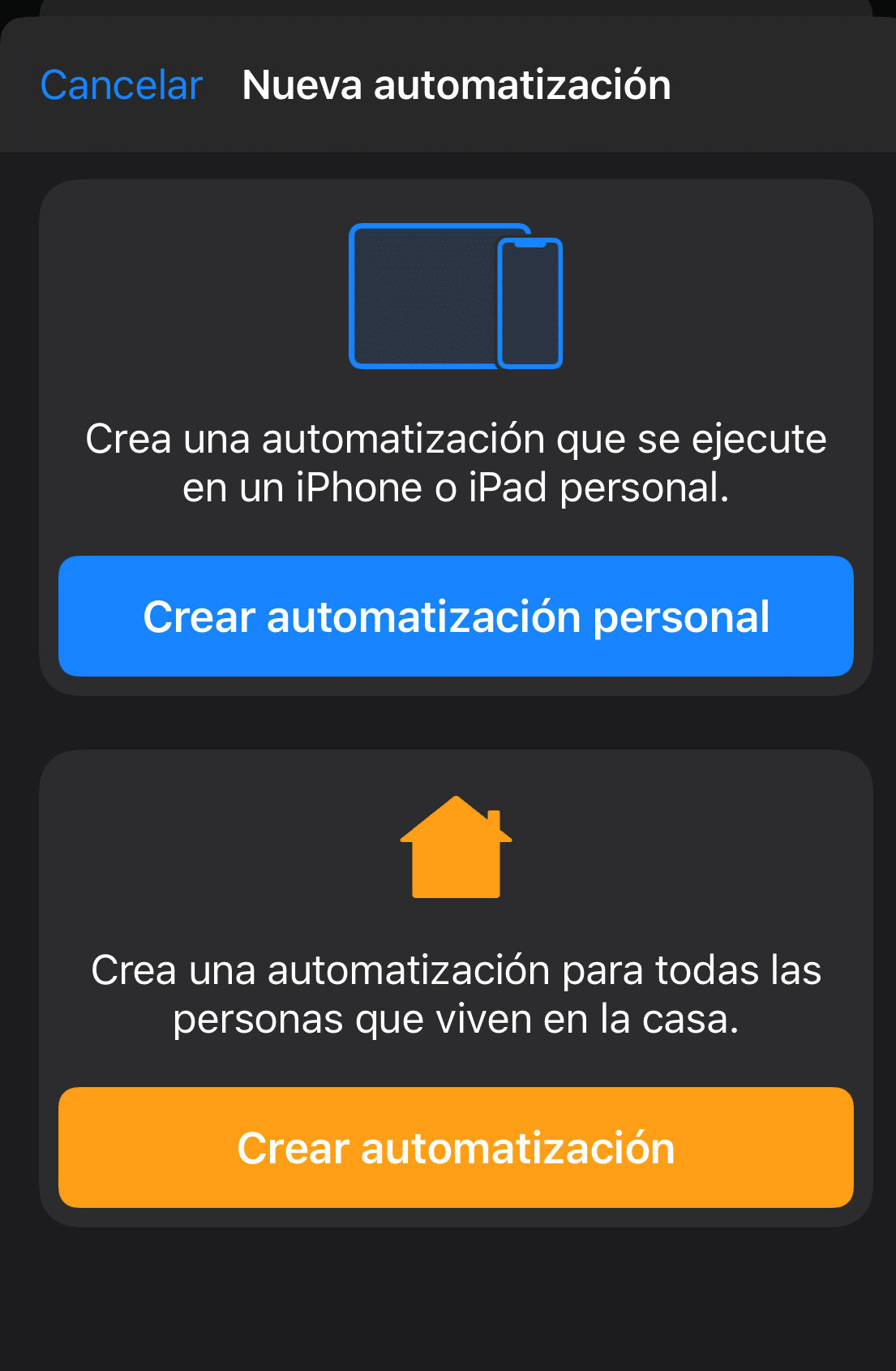
In fact, if we try to create an automation in the Home app the way we used to, we’ll see that the last option is ‘Advanced: Create Shortcut’, which takes us out of the Home app and into Shortcuts to create that automation while being able to add usage conditions. I haven’t noticed anything new regarding the simple automations we used to make with Home in previous versions of the operating system, but I’m sure we’ll keep seeing new developments in this area and that the Shortcuts options will keep improving to include complex conditions like the one I mentioned earlier, so for now I’m learning and I hope to be able to tell you about it in future articles 🙂

New connected devices in my home
A few days ago I bought the new version of Tado’s smart thermostat for air conditioning prompted by Jorge’s question in the previous post. Basically it’s a universal remote control that goes on the wall and lets you turn old air conditioning units with no automation capabilities whatsoever into ‘smart’ ones. It has a few drawbacks I’m not too fond of, like the fact that the thermostat has to have a cable no matter what (we’ll see where I can get a power cable from so I don’t end up with a white cable running across the middle of my wall), and that you can’t move it too far from the air conditioning unit because it’s actually sending it infrared signals, so if you move it away it won’t work… which means you can’t have just one of these little gadgets for several air conditioning units in your home. Even so, I think it could be a good idea to integrate the air conditioning with the rest of the devices and sensors so that it turns on automatically if the temperature rises above X, turns off automatically if we open a window or door, and is able to turn on if we’re about to get home and the living room is above X degrees. I’ll keep you posted!