My home with Apple HomeKit and Home Assistant (updated in 2026)
This time I’m not going to tell you about some new vulnerability or how the bad guys made off with a gazillion Bitcoins from some Exchange or other. This time I’m going to tell you how I’ve automated a bunch of things in my house with Apple HomeKit. Pretty cool, right?
2026 Update: here’s how my house works today
The setup has changed quite a bit since I published this post back in 2019. Now three layers coexist: native Apple Home accessories, Matter devices linked directly, and devices that Home Assistant publishes to the Home app via HomeKit Bridge. This distinction matters: if Home Assistant goes down, the native and Matter accessories keep working, but anything depending on the bridge stops responding.
The main Home Assistant bridge currently exposes 144 entities, not 144 physical gadgets: 9 lights, 17 binary sensors, 3 switches, 1 boolean helper, 1 vacuum, 10 scripts, and 103 sensors for consumption, temperature, humidity, presence, leaks and status. I also keep two separate bridges: one for the doorbell and another for the 13 room-by-room vacuum cleaning scripts.
The Tedee lock is not published as a lock in HomeKit. In Home you’ll find controlled scripts to let specific people in and to lock the door, but not the direct lock entity. This way I avoid exposing more control than necessary.
Home Assistant lets you filter which entities get published through inclusions and exclusions. In my case the bridge uses 11 allowed domains and 132 explicit exclusions so Home doesn’t get cluttered with technical controls. You can check out how it works in the HomeKit Bridge documentation.
Ever since Apple unveiled HomeKit a couple of years ago at the 2014 Keynote (https://www.youtube.com/watch?v=B-qlVsSH4BU), I’ve had the smart home bug — what we used to call home automation. A house capable of making its own decisions and changing them based on its surroundings. Today I’m going to tell you about all the automations I have at home with HomeKit and give you a few tips if you’re interested in this topic.
I have to admit I had the whole thing on the back burner until I listened to a podcast by Cristian García (@patuflinx on Twitter) from http://www.appsmac.com/ talking about some automations he has at home with HomeKit and Alexa. If you think I have a lot of automations and that I’ve gotten a bit carried away… you should hear the ones Cristian has, haha.
I also want to make it clear that I didn’t want a house full of buttons to press to raise the blinds instead of just pulling the cord, or to turn on the lights by saying «Hey Siri, turn on the living room light» (which you can do with all of them, but that’s not the point). What I was after, as I said before, is a smart home — for example, one where every day, as the sun is about to set, the lights that until now I turned on manually switch on automatically… but only if I’m home, since otherwise there’s no point. In other words, this isn’t about a scheduler that fires off tasks, but about tasks that run based on certain conditions. Isn’t that cool? And on top of that, it hasn’t been nearly as expensive as you might think, as you’ll see.
Want to know the differences in all this with iOS 13? I’ve published a new article about it: https://sahuquillo.org/homekit-en-ios13
How much does it cost to turn a house into a smart one?
Normally I’d have put this point right at the end, but in this case it’s especially relevant. We’ve always thought that automating a house is expensive: lamps, smart plugs, special installations… but right now we have a really good range of components available and it doesn’t end up being that pricey. In my case I invested less than €200 to get all the devices and sensors you’ll see below… and there are quite a few, haha

You also have to keep in mind that the goal here is to COVER NEEDS. It’s very easy to get carried away by how cheap the sensors are (some cost less than €7) and fill your house with gadgets and fancy rules that do a thousand things… but are they actually necessary? To give you an example of sheer silliness: a few days ago I put a vibration sensor on the doorbell box at my front door. Since the box vibrates whenever someone rings the bell, this sensor sends me a notification on my phone if there’s no one home — that is, if someone rings the bell while we’re out. Useful? Not at all, I can’t interact with it, I can’t open the door or look through the peephole to see who it is… but hey, if it were burglars who ring the bell first and then break in (we’ll talk about the alarm later), I could at least know exactly what time it happened thanks to that notification on my phone… yeah, I know, I’m grasping at straws to justify the €7 sensor, but I can also pull up statistics on how often someone rings the doorbell at home, and you already know there’s nothing I love more in this world than a good graph :D.

The limit of rules and integrations is your own imagination… I once read about a guy on Twitter who had his bulbs connected to IFTTT, and whenever his football team scored a goal, the lights in his house switched to that team’s colors… another silly one, but hey, it can be done, haha. There are also flood sensors that warn you if a tap is leaking or your pool is overflowing, another €7 gadget… but my taps don’t leak! I could put one of these sensors on every sink, on the washing machine’s water intake, the dishwasher, and so on… but it wouldn’t make much sense, would it? At this point I could go off on a tangent about risk analysis and the concept of risk occurrence probability and all that, but we’ll save Risk Analysis talk for another post.
Right, so as we’ve seen, the main idea is to cover needs and make our lives more comfortable, okay? So first let’s lay out what kinds of things are worth automating at home, and then we’ll look at some ideas to see if you find them interesting:
My boiler is «analog», meaning it has no timer, no programmer, not even a digital temperature selector… when you’re cold you turn it on, and once the house has warmed up you turn it off. So I fitted it with a smart plug that turns on and off based on a rule that reads the temperature from a temperature sensor: if the temperature drops below X, the boiler turns on — but only if we’re home — until it reaches temperature Y. I repeat: only if we’re home, and HomeKit knows this thanks to the devices located around the house: if my phone and my wife’s phone are home, it means we’re home… but if both phones are geolocated outside the area, it means we’re out, and none of these automations fire, and on top of that the alarm gets armed. Of course, there can be just one person at home — both phones don’t always need to be there.
What sensors and devices should I buy?
At this point we have a fairly clear idea of the possibilities and the needs that get covered IN MY CASE. Now let’s look at which devices I’ve gotten to automate which functions:
Smart plugs
This was my first purchase, driven by the need to automate the boiler as I mentioned earlier. It was a pain being cold at night and having to cross the whole house (literally — I don’t live in a castle, but it was still really annoying crossing the house at night) just to turn on the boiler, and then having to get up again a while later to turn it off because the house had already warmed up.
When I first got the plug, it was the only device I had, so I couldn’t yet make the boiler turn on and off automatically based on temperature. I could turn it on from bed with my phone (or by saying «Hey Siri, turn on the boiler», though shouting commands in the middle of the night with my gazillion kids asleep isn’t usually a great idea) and save myself the sleep-wrecking walk, but then I’d have to wake up again when the house got too warm. I’ll tell you later about the rule I created to fix this.
I’ve tried two types of plugs, the Eve Energy and the Koogeek Wi-Fi Plug. Eve has a ton of great quality products that work well together, but «the problem» is that they use Bluetooth as their connection method. I put «the problem» in quotes because in my case, with the boiler in the far-off utility room, the connection would sometimes drop and I’d have to get up again, which was pretty annoying. In the end, after a lot of testing, I went with the Koogeek plugs, which connect directly to Wi-Fi (note: they can only connect to 2.4GHz networks), but keep in mind they take up one IP address per plug… if you’re tight on those or don’t like that setup, I’d recommend the Eve ones instead. The prices are pretty similar — the Koogeek runs around €37 and the Eve around €45.
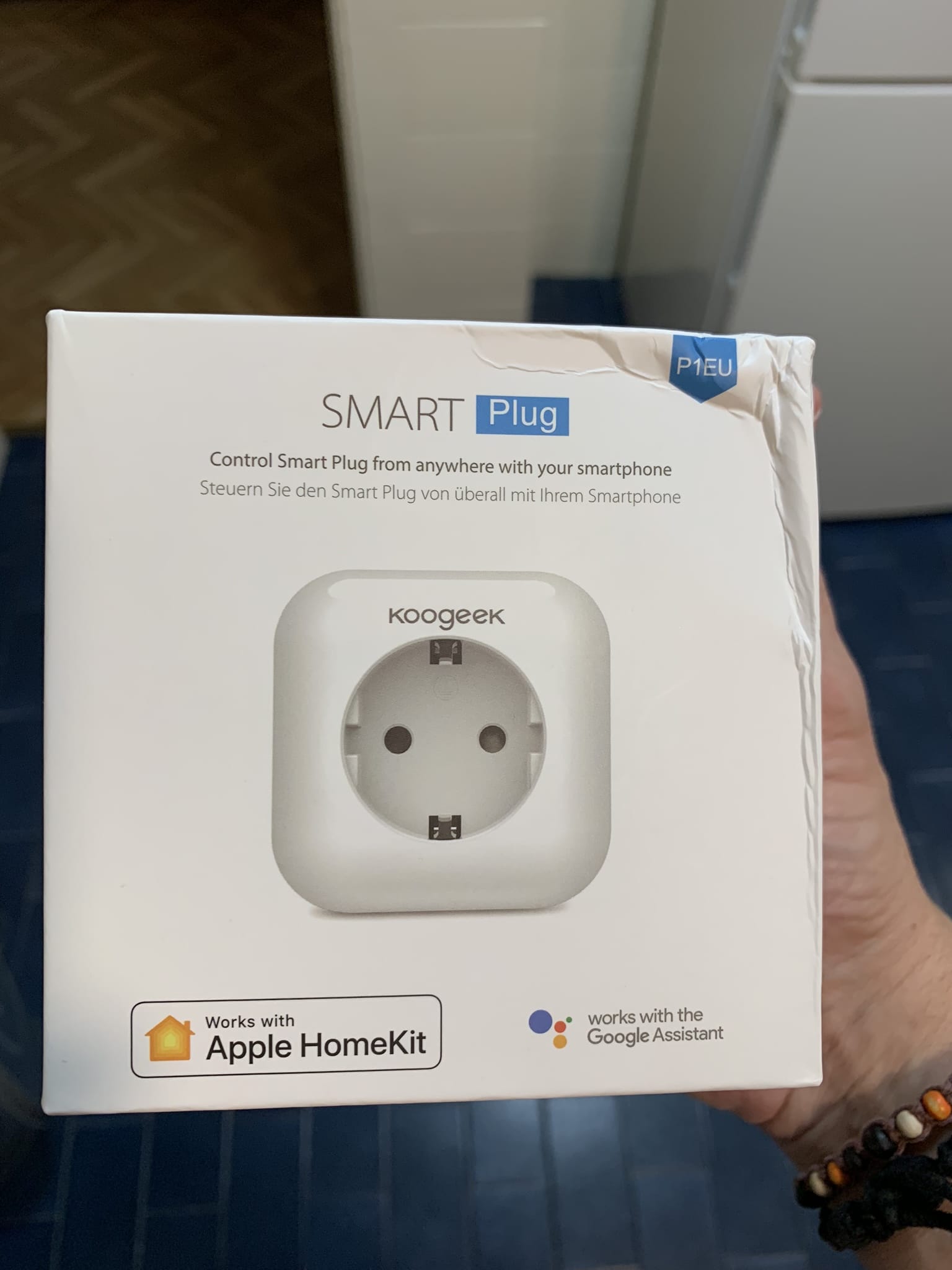
These plugs can be turned on and off through whichever assistant you prefer (Siri, Alexa, Google) or services like IFTTT, scheduled to turn on at certain times, monitored via consumption graphs… whatever you want, although the real fun is in combining rules, as we’ll see later. You can also turn the device on using a physical button right on the plug itself — no need to run and find your phone if you’re standing in front of the boiler and just want to switch it on.
Smart bulbs
They say that, given their price, lights are usually the entry point for getting into home automation, although in my case covering the boiler’s on/off need was more pressing. There’s a huge range of smart bulbs on the market. Some of them need an intermediate bridge (or hub) that all the bulbs connect to, though there are also models that connect straight to Wi-Fi. In my case I was looking for bulbs compatible with HomeKit so I could have everything centralized in the same app and be able to create rules, so I ended up going with the well-known Philips Hue. Hue bulbs have a central bridge that all the bulbs connect to and support all kinds of automations, from gradually waking you up with light that slowly ramps up in warm tones to simulate a sunrise, to a «candle» mode where the light flickers, or even having them dance along to music if you keep them near a compatible speaker. On top of that, Hue is a very high-quality product that never fails — not once has a bulb lost connection or become unreachable. It’s true that it’s the «pricier» option among bulbs, but when it comes to something like home lighting, I think it’s better not to take chances and risk introducing hassles or problems for the rest of the household.

Another neat feature of Hue is being able to tell them what to do if the power goes out (or if someone accidentally flips the switch and cuts the power). With Hue you can choose whether you want them to come back on at a default brightness or in the last state they were in before. Oh, and you can also turn them on using the regular wall switch with a «double click» — flipping the switch on and off twice in a row resets the bulb and it turns on at the default setting. That’s handy if someone visits your house who doesn’t have permissions in HomeKit to control your devices, or who simply doesn’t own an Apple phone (although you could also just not invite people without an Apple phone to your house! :P).
Opening Pandora’s box: sensors
This is where things really get going. There are sensors for pretty much anything you can think of. After some trial and error, I use the brand Aqara, a Xiaomi subsidiary that most of us already know for its competitive prices and solid quality.
There are temperature and humidity sensors (this is the one I have), vibration sensors as mentioned earlier, open door/window sensors, flood sensors, etc… related to this topic there are also devices that let you automate drip irrigation, air quality monitors, wall switches to automate bulbs that can’t be automated for whatever reason, multi-function buttons (I have a bunch of these, I’ll tell you what for later), motion sensors, security cameras, and so on.


It’s worth knowing that Aqara devices connect to a central bridge that uses ZigBee technology to talk to them. That means we’ll need that bridge, which costs around €35, and after that we can hook up as many devices as we want to it. Eve’s temperature sensor, for instance, doesn’t need a central bridge — you can read the temperature directly from HomeKit and set up related rules for the heating — but it costs a lot more, which makes it tricky to place several around the house.
UPDATE: I recently picked up the Aqara and Honeywell smoke detector and I have to say it’s a really good purchase, although it does have its quirks. I don’t know if you’re aware, but it’s recently been recommended that rental homes have smoke and/or CO2 detectors installed. Also, I recently watched a show where the father died in a house fire… I’m a father myself, so you don’t need to be a genius to see the parallel, and that’s what pushed me to buy the detector for my own peace of mind. The thing is, the Aqara sensor comes certified by Honeywell, a very well-known brand in home automation, boilers, and household devices, which gave me even more confidence:
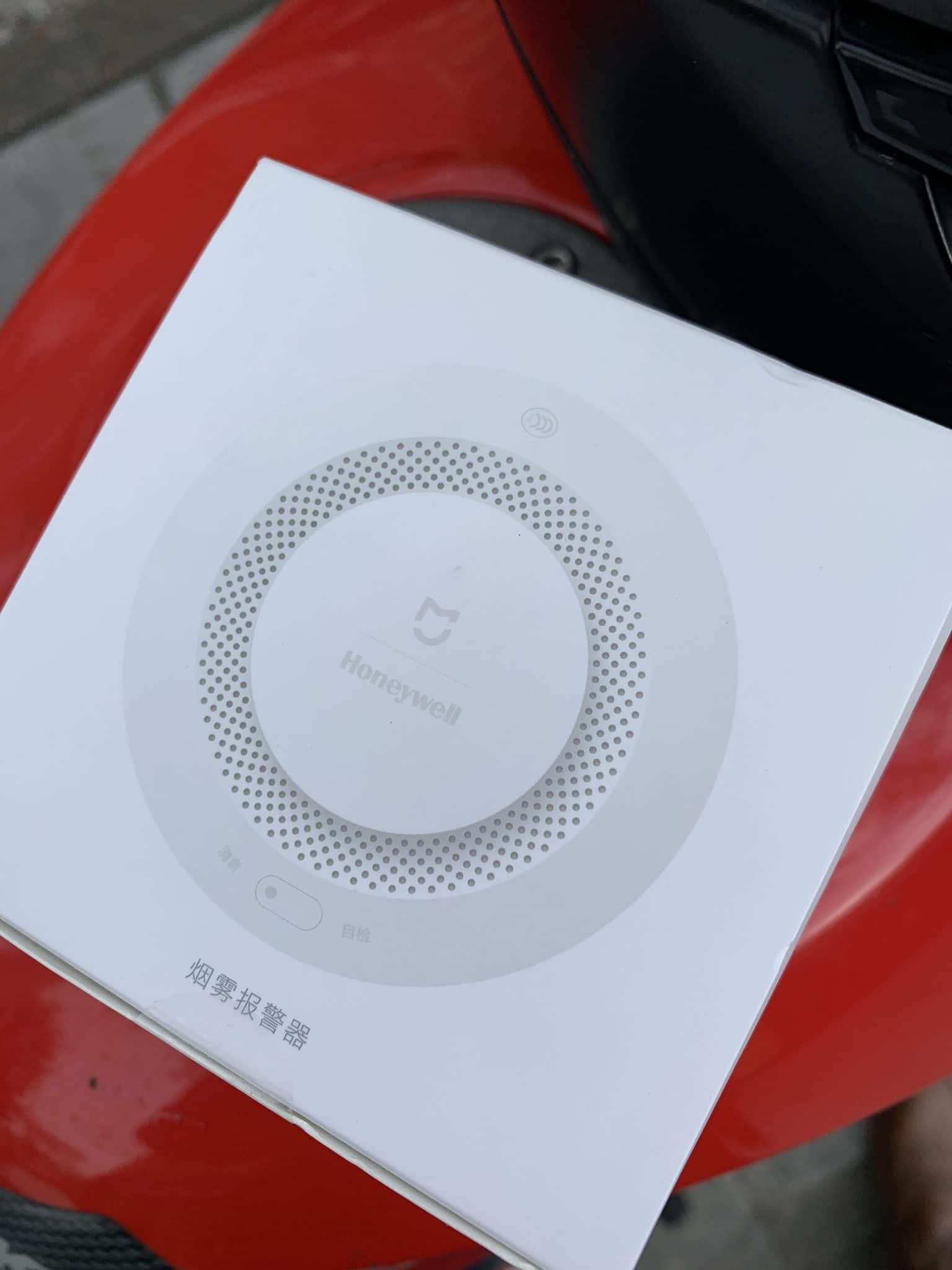
Setting the thing up is exactly the same as any other sensor, although in this case it’s special in that you don’t need to create any rule for it to go off. It has three profiles depending on how much smoke is normal in the room where you place it — it’s not the same putting it in the kitchen, where there’s likely to be the occasional bit of smoke, or in a living room where people smoke and smoke is generated but to a lesser degree, or in a kids’ room where there’s only smoke when my children are setting things on fire, in which case I DO want to be alerted even at the slightest trace. In my case I installed it in the kitchen:

Another quirk of this sensor is that you can make it sound on its own, the old-fashioned way, with the characteristic beeping that grows more intense if the smoke doesn’t clear, or you can also have the Aqara hub sound an alarm, which can be handy since it automatically sends a notification to your phone… buuuut (yes, here comes the «but») between the sensor’s own rather shrill beeping and the hub’s WAAAH WAAAAAAH alarm, it turns into quite a racket, so if it goes off at night, you’d better hope your house really is on fire and you make it out alive thanks to the gadget, because otherwise half the neighbors are going to complain. Be really careful which option you choose, because it nearly cost me my marriage during testing.


Automation rules
When I first got into this stuff, I really missed having a website with example rules. It’s not that I’ve been messing around with HomeKit for ages, but whenever I get into something I’m passionate about, I dive in headfirst and go all in — I think it’s some kind of condition, haha. The thing is, sometimes it’s hard to really grasp the possibilities of the integration and how they fit into your home. That said, I later realized that wasn’t the right approach: the goal is to improve your comfort at home with genuinely useful automations — if you go overboard with rules and variables, you’ll likely complicate things so much that it stops being convenient. My wife threatened to kick both me and HomeKit out of the house, say no more. So I’m going to share the rules I use most, simply to make your life easier if you’re looking for something specific — not so you go picking up ideas to cover needs you don’t actually have yet yet:
NEED: Turn the boiler on automatically when the temperature drops below X and we’re home. I also need it to turn off when the temperature rises above Y so we’re not uncomfortably hot.
SOLUTION: In this case all I needed was an Aqara temperature sensor in one of the rooms I wanted to monitor, plus the matching rule to turn on the boiler if the temperature is too low.

NEED: My middle son gets up some nights to go to the bathroom. He shares a room with one of his brothers, so when he gets up and turns on the light it sometimes wakes him up too. Also, since he’s so half-asleep, other times he’d just climb back into bed and fall asleep again leaving the light on, hence this need.
SOLUTION: I have a couple of rules for his bedside lamp bulb. During the day it turns on as usual, at 100% brightness, but if the button is pressed at night it only turns on at 20%, giving just enough light to get to the bathroom without waking anyone up… plus it turns off automatically after 6 minutes (yes, 6, I like multiples of 6) if he hasn’t turned it off himself already.

NEED: Turn on the bathroom heater for my early-morning shower 5 minutes before I get in.
SOLUTION: Another Koogeek smart plug set to turn on at 6:45 am along with the boiler (regardless of the house temperature, since I have the silly habit of showering with hot water) but only if I’M home, since my